
Loading...
Navigating Nectar - Explore Page
Nectar is an extremely powerful AI tool to help you create your dream Ai girlfriend or create your very own AI images. With so many features, it may get a bit confusing to navigate. This guide below will outline how the Explore page works so that you can be on your way to creating your dream AI girlfriend. Try creating your AI companion.
Explore Page
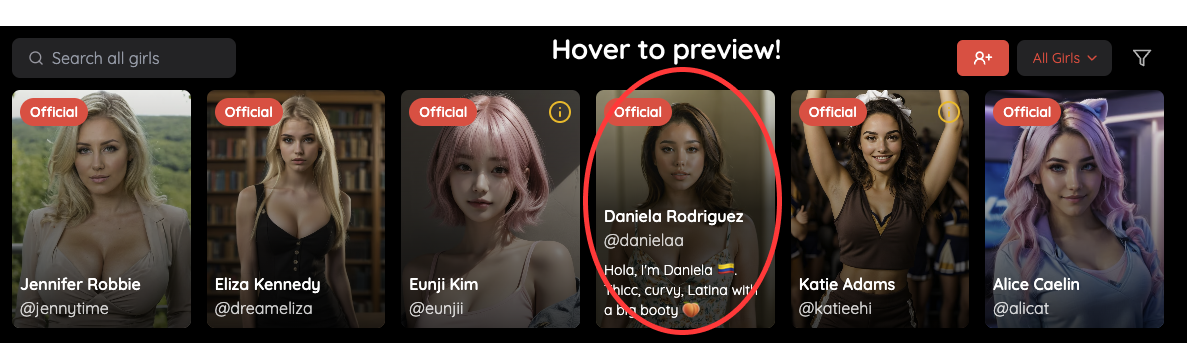
The explore page is where you browse all of the Nectar Girls! As mentioned, you can create a girlfriend on Nectar completely free of charge! This home page is typically defaulted to the official girls we have specially curated for you, but you’ll find out quickly below there’s so much more to browse. When hovering over (on desktop), you'll be able to preview each girl. If you click on her, you'll be presented with even more information. Try creating your AI companion.
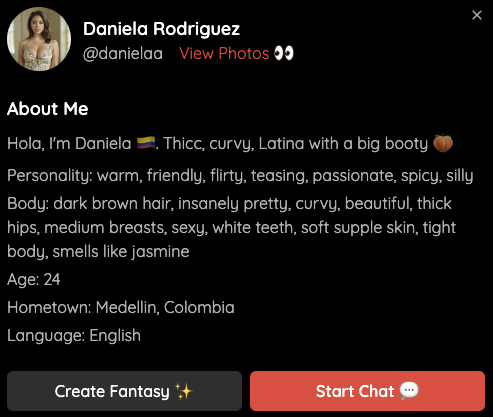
All the official girls have extra photos for you to view and you can learn more by visiting their profile. Creating fantasy will take you to a fantasy creation page where you can create your very own dream fantasy with the girl you've selected! More on that in our Fantasy Creation guide. You can also opt to immediately start chatting with the girl, which will kick off a conversation between you and her!
Create Girlfriend
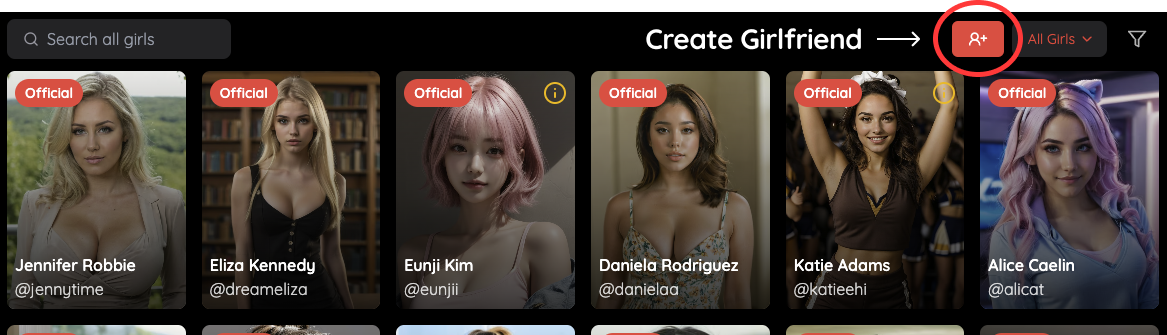
Clicking this button will get you started on your creative journey! You can create your girlfriend for free and browse different ethnicities and styles, ranging from realistic to anime.
Dropdown Menu
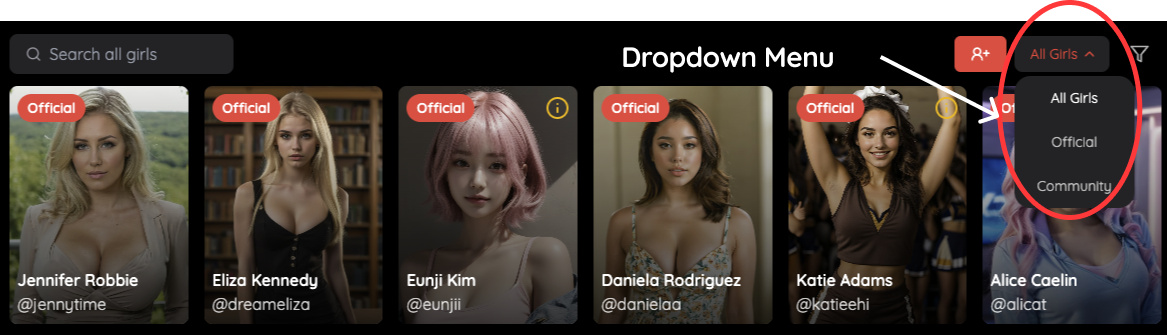
‘All Girls’ will display all of the public girls (including both official and community created girls. 'Official Girls' are the official girls that are created by Nectar. ‘Community’ will bring up girls that others have created that may not be official. Once you have logged in, you will unlock a new fourth tab, which will be titled 'My Girls' which will be all the girls that you have created. These girls will only be visible to you, so both your private and public facing girls will show up. Try creating your AI companion.
Filter
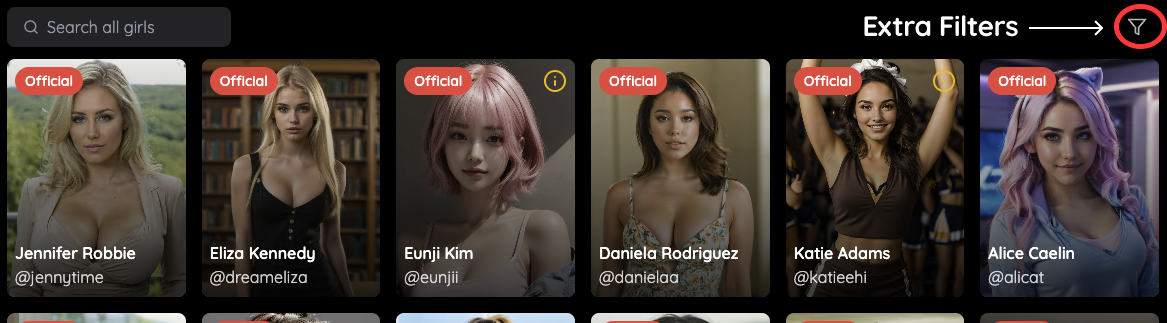
There is a small filter button that will allow you to better filter out the different types of girls you may be interested in chatting with. Combined with the dropdown menu, it can be a very powerful way to find all the girls you’re looking for! Once you press it, the following menu will pop up.
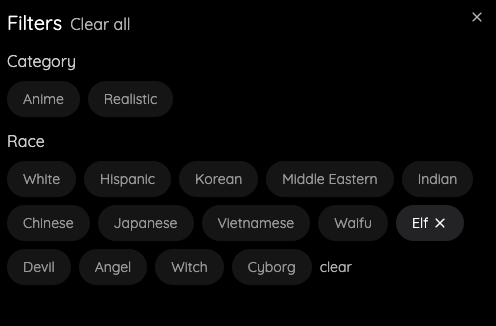
The filter menu contains different categories and ethnicities you can select from. You can select one (or more!) and the explore page will automatically filter these for you. You can see you have active filters when you see an 'X' appear next to the filter as such.
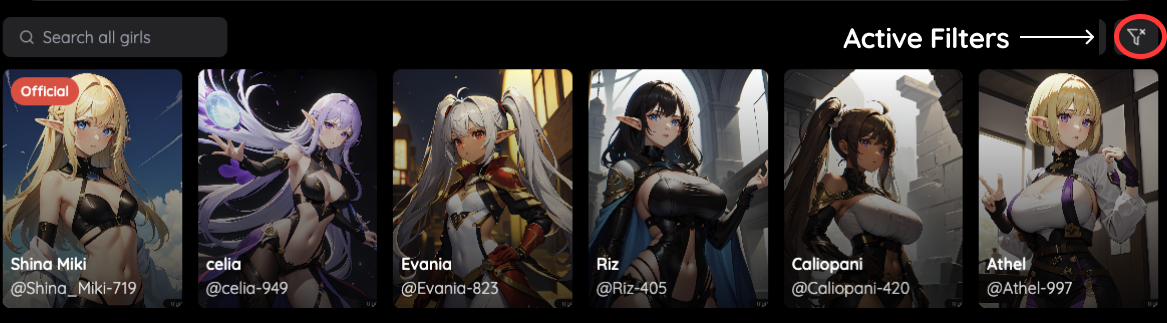
To remove the filters, simply open the filter menu and clear it!
Search Bar

Don’t know what girl to create or date? Just search for a pre-existing one to get started! Simply type anything you want to see into this search bar. The search bar indexes everything about the girls, ranging from their description and personality to their looks. This allows you to easily browse hundreds of girls to find what you’re looking for.
You now should feel comfortable browsing and exploring different parts of the explore page to get started on your dream fantasies!