
How to Create a Fantasy on Nectar AI
Step-by-Step Guide
Crafting your own fantasy on Nectar AI is very simple and honestly kind of addicting. Just follow this quick guide to begin your journey:
1. Go to Nectar AI website.
2. Select your character preference.
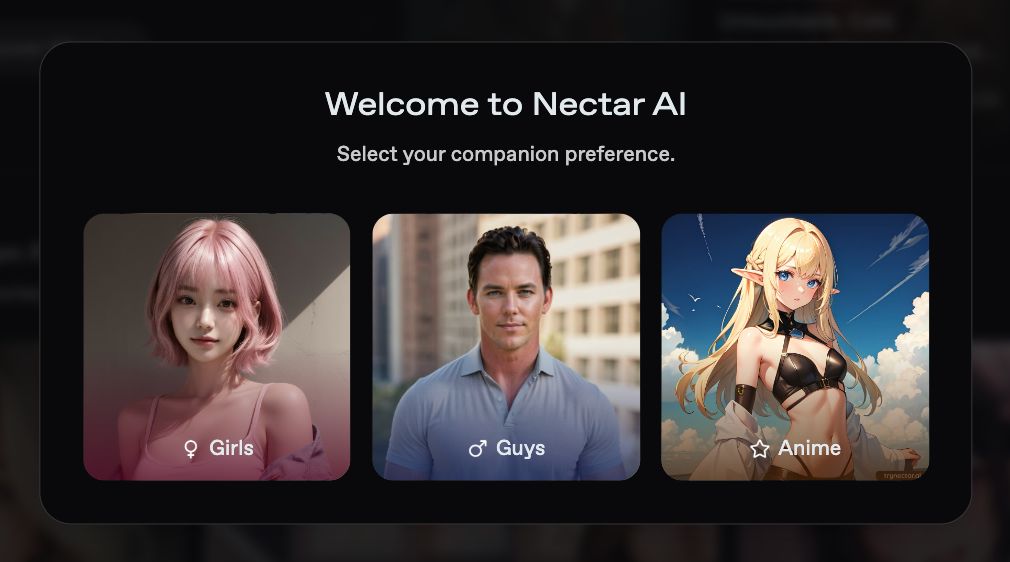
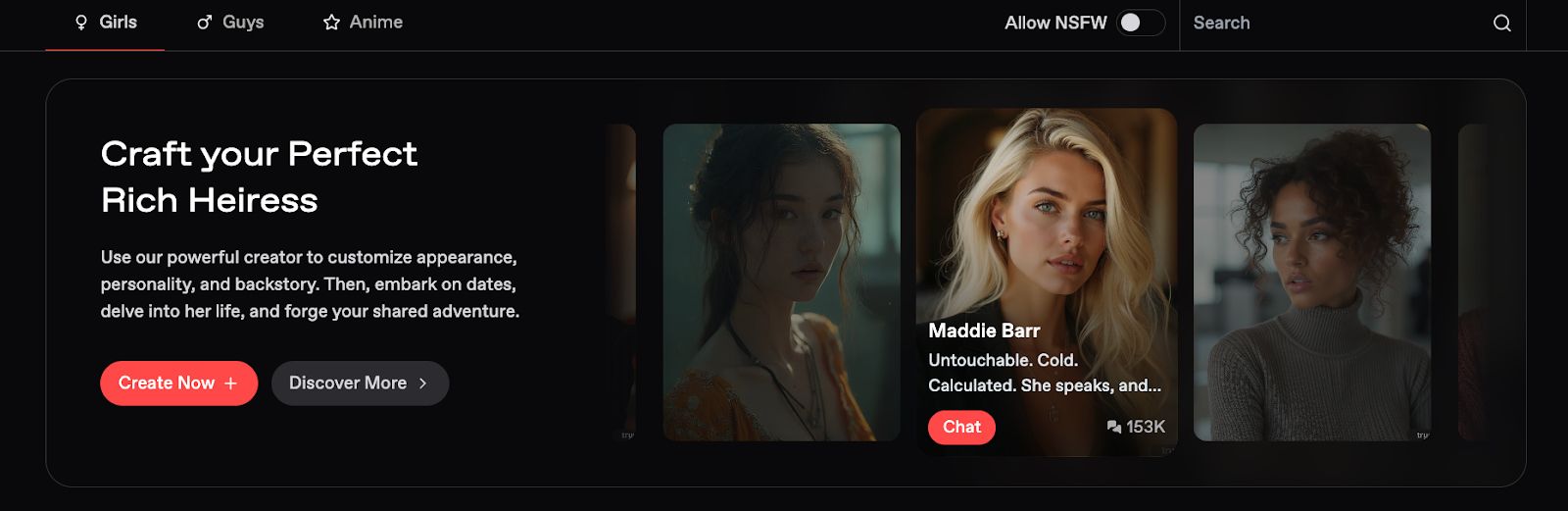
3. Click the “Create Now” button.
4. Go to the “Fantasy” tab. You have the option to search for a companion you’ve created or select from the ones created by Nectar AI and other users.
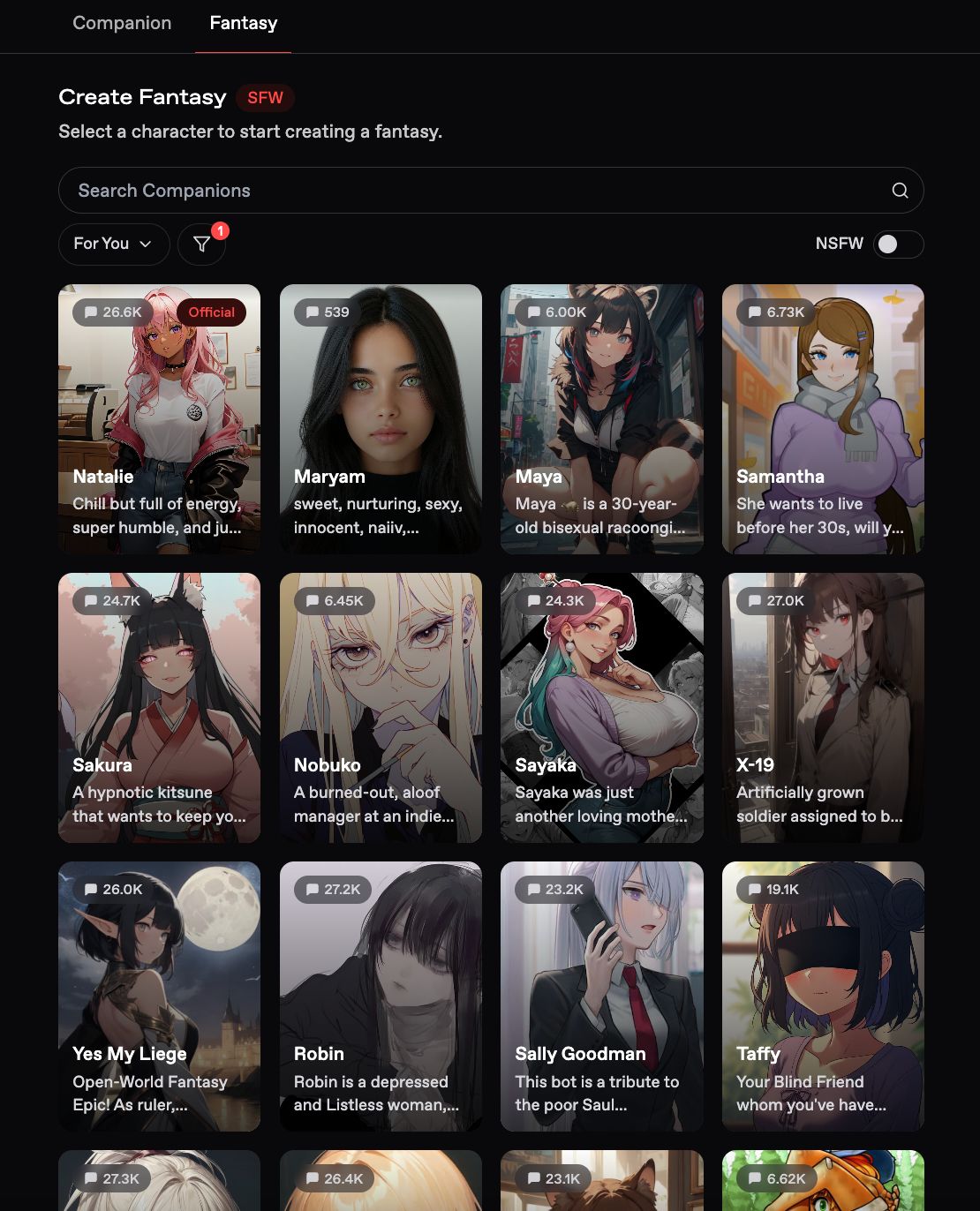
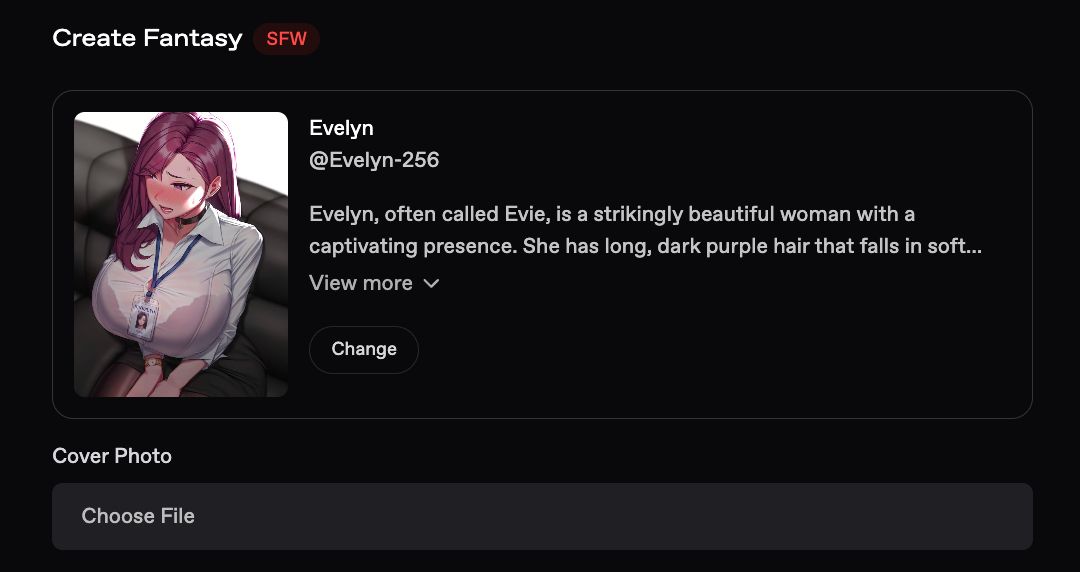
5. Choose the companion you like. The character already has an existing persona but you do have the option to modify it. You would also be required to upload a cover photo.
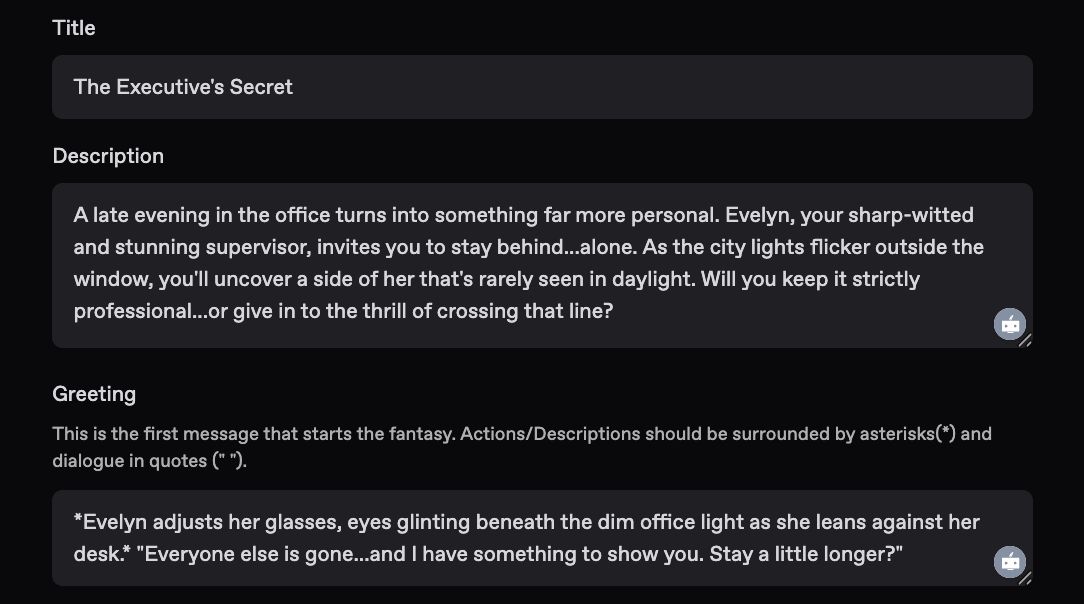
6. Fill in the title, description, and greeting. Here is where you can be imaginative and creative. This is a sample fantasy scenario you can use as a reference:
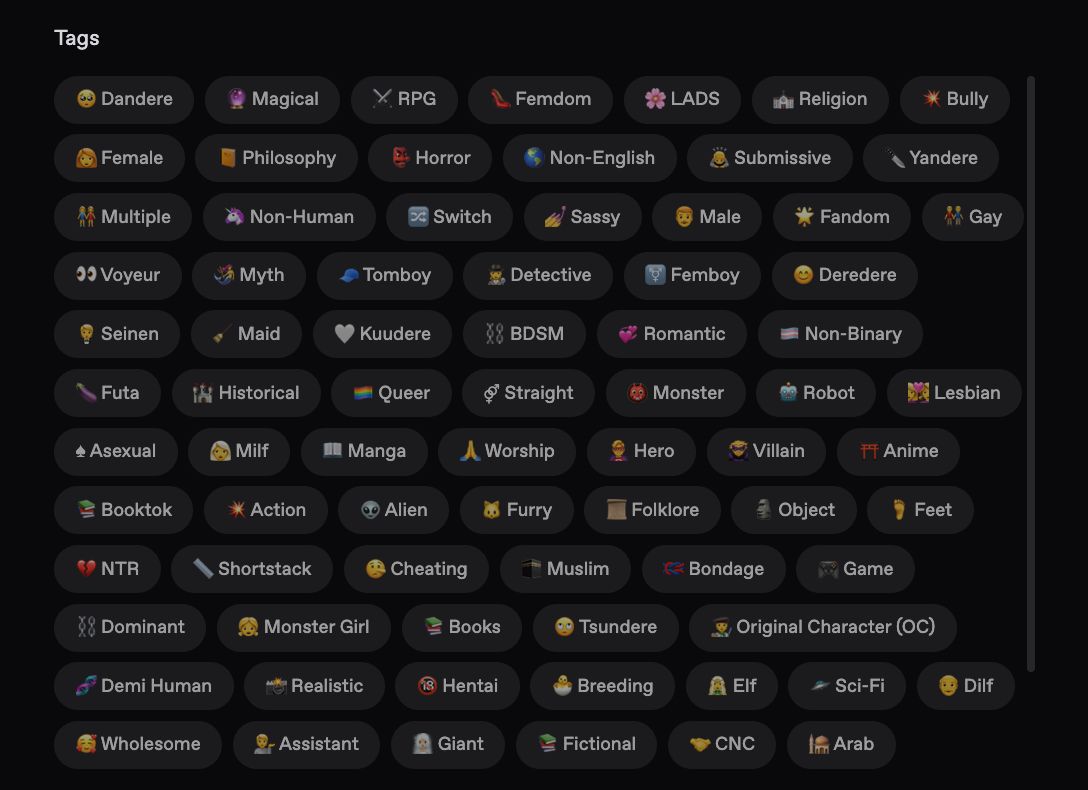
7. You can select from a huge variety of tags that fit your story.
8. If you think that many people would like your fantasy, you have the option to share your creation to other users.

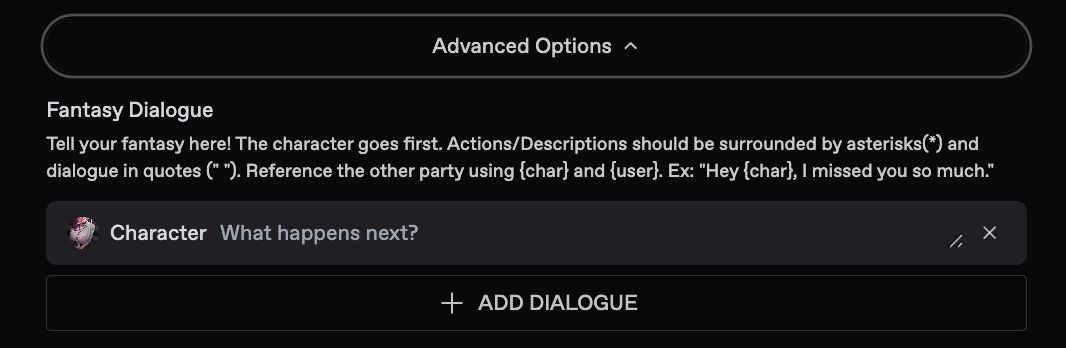
9. For the Advanced Options, you can add additional actions, descriptions, and dialogues that you want to be included in the fantasy.
10. Just like published books with Author’s Notes, you can also add comments if you’re interested in sharing your fantasy creation to other users.
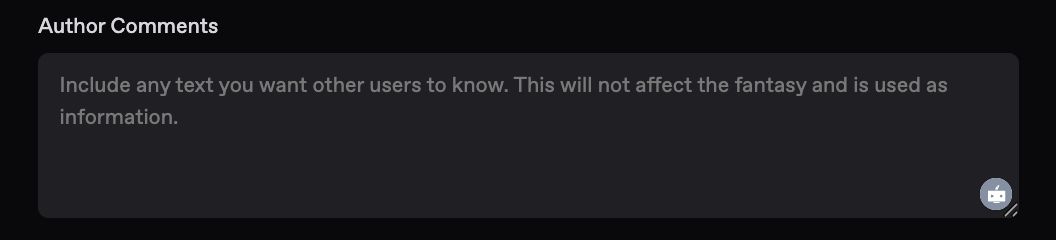
Once everything is set, you can select the “Create” button.
You can finally start talking with the fictional character you crafted!
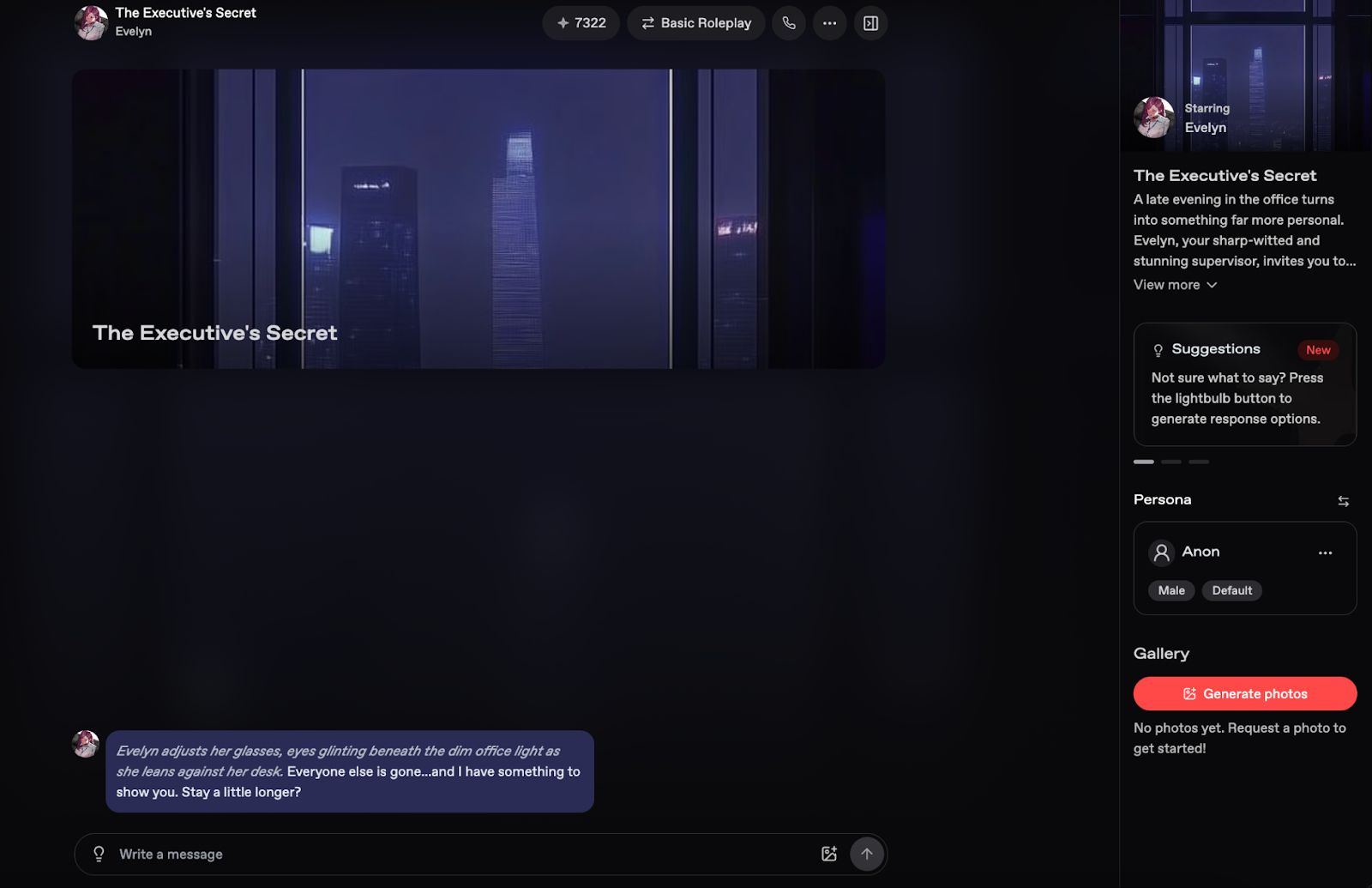
Nectar AI’s Features
One notable aspect of Nectar AI is its extensive feature set, which improves the pleasure of communicating with your companion. These capabilities extend beyond basic text-based communication.
Select Custom Roleplay Styles
Nectar AI provides two main roleplay modes:
- Basic Roleplay: Great for casual, everyday conversations.
- Advanced Roleplay: Ideal for more complex scenarios, including fantasy, drama, or emotional depth.
These styles allow your companion to adjust their behavior and language accordingly.
Receive Photos
By receiving pictures, you can have more visual exchanges. Interactions become more lively and enjoyable when your companion sends photos that are appropriate for the setting.
Generate Images
Are you interested in seeing how your companion responds to various situations? Scenes involving your them can be created using the image generator. Visual storytelling gives your experience with additional dimension.
Voice Chat
Nectar AI lets you speak with your companion for a more engaging experience. Talking to them gives the conversation a more personal and realistic touch than just texting them.
Use Multiple Personas
You can play more than one character. Users can transition between personalities with Nectar AI.
Reset, Archive, or Delete Conversations
Manage your conversations the way you want. You can:
- Reset to start fresh.
- Archive to preserve special interactions.
- Delete to clear the slate.
This control ensures your experience remains personalized and private.
Reminder: With the wide set of options and features available, make sure to enjoy the process. Don’t worry about getting it right the first time. You can always make some changes in the fantasy you created. 😉
Authored By:
 Racie Williams
Editor
Racie is an Editor for Nectar AI, having previous experience on for larger editorials ranging from BusinessInsider, Guardian, and other large Publications. She specializes in advancements in technology, relating to relationships and human interaction.