
How to Create a Support Ticket in Nectar AI
1. Join our Discord community.
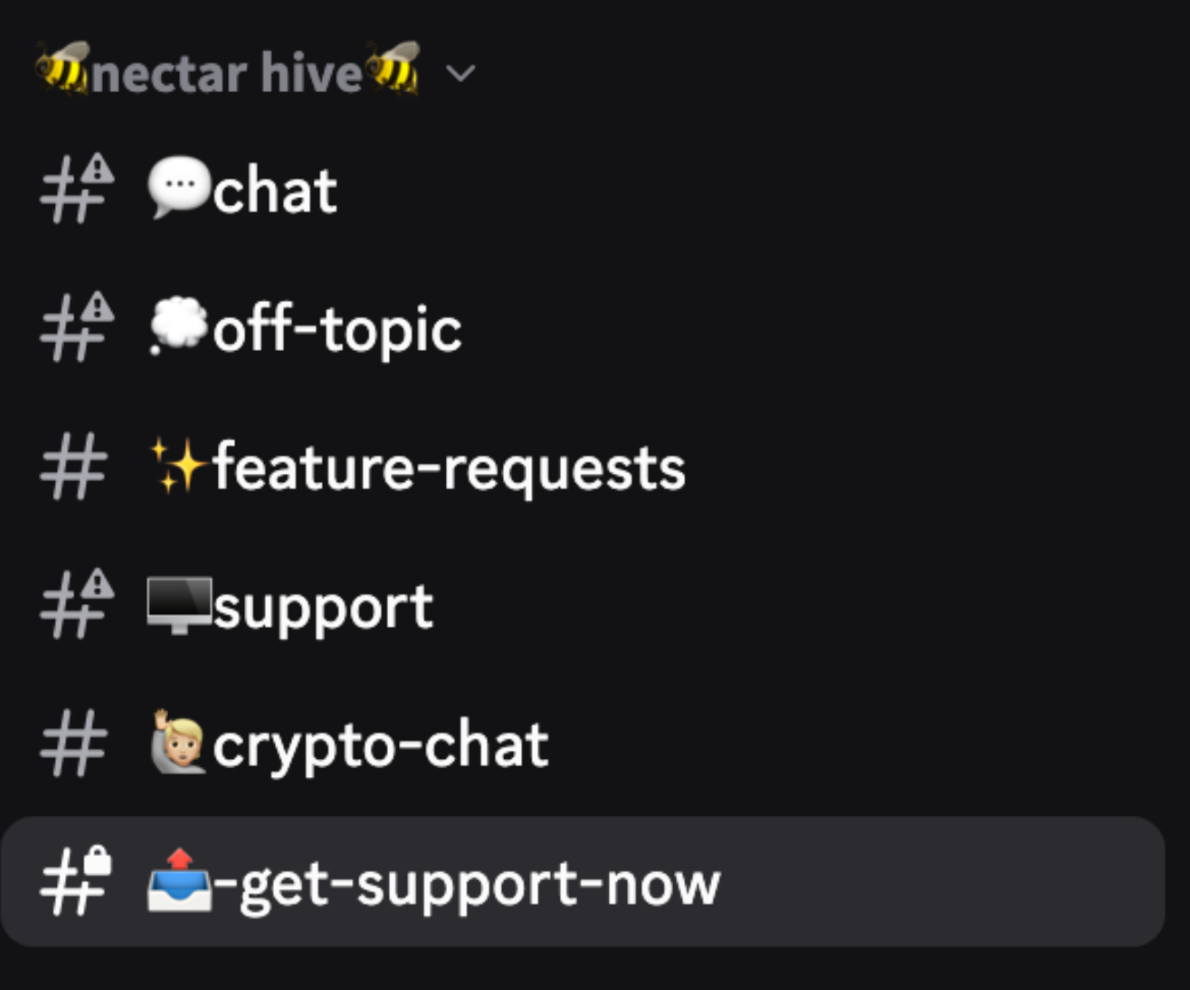
2. Go to the #get-support-now channel.
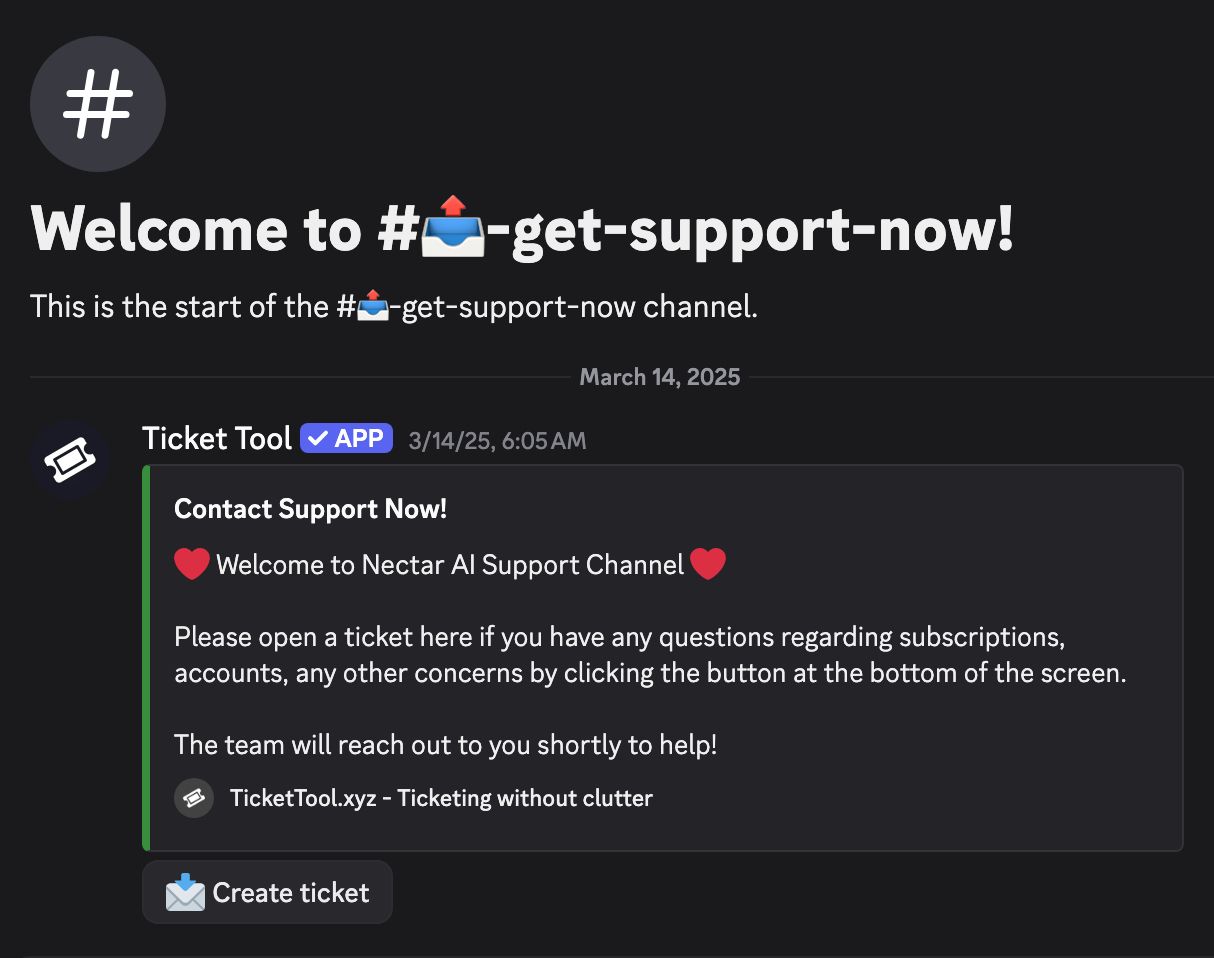
3. Click the Create ticket button.
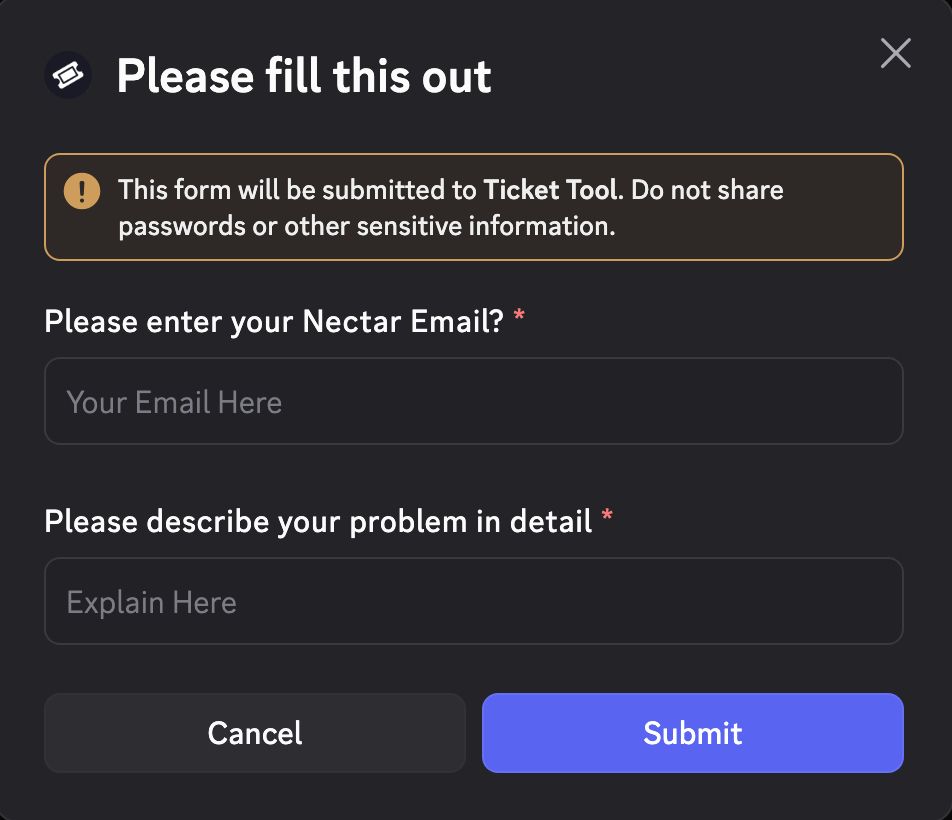
4. Fill out the form with your issue.
Reminder:
Be as detailed as possible when describing your problem. The more information you provide, the quicker we can help resolve it.
Helpful details to include:
- The email linked to your Nectar account
- A clear description of the issue
- Steps you already tried (if any)
- Screenshots or error messages (if applicable)
- Your device or browser (e.g., iPhone app, Chrome on desktop)
Authored By:
 Racie Williams
Editor
Racie is an Editor for Nectar AI, having previous experience on for larger editorials ranging from BusinessInsider, Guardian, and other large Publications. She specializes in advancements in technology, relating to relationships and human interaction.